Group hundreds of messy helper processes under their parent app, catch forgotten dev servers, monitor Apple Silicon temperatures & AI coding agents, and get live iMessage & WhatsApp health briefs straight to your phone.
Install & Fix MacMetricsMacMetrics.app → Open → Open. macOS shows this for apps downloaded outside the App Store that aren't notarized yet — the app is safe.
 MacMetrics
⏳ Trial: 7d left · $10.99 Lifetime
Walk away from your desk while Claude Code runs, Xcode compiles, or Blender renders. MacMetrics sends a crisp 4-line telemetry brief straight to your iPhone, Apple Watch, or WhatsApp — on a schedule or the instant your Mac hits thermal or memory strain.
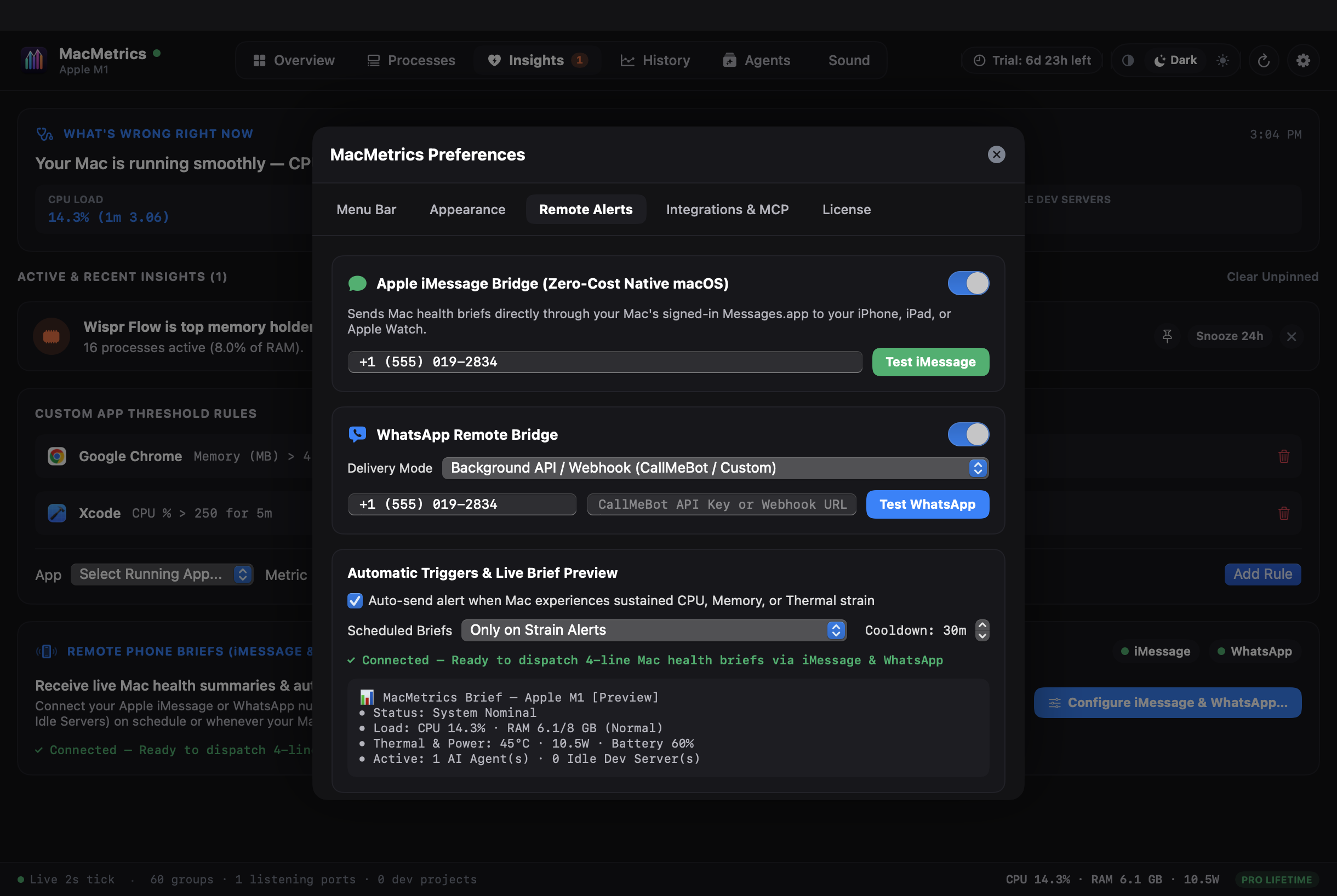
Connect your Apple ID / phone number for zero-cost native Messages.app automation alongside WhatsApp Webhook & Deep-Link delivery.
Watch MacMetrics detect sustained CPU/Thermal strain and dispatch an instant 4-line health brief to both iMessage and WhatsApp in under 0.2 seconds.
Uses your Mac's signed-in Messages.app to send real iMessages to your iPhone, iPad, and Apple Watch with zero third-party cloud fees or SMS charges.
Supports silent background WhatsApp notifications via CallMeBot / Custom Webhooks or instant 1-click whatsapp://send desktop dispatch.
Choose automatic alerts when CPU, RAM pressure, or thermals spike, or schedule peaceful 1h / 4h / 12h / Daily summaries with built-in anti-spam cooldowns.
See how MacMetrics tracks live Apple Silicon telemetry, groups helper processes, reclaims RAM from forgotten dev servers, and unlocks with a single $10.99 license key.
Every pane is crafted for instant clarity in both Dark Mode and Light Mode.
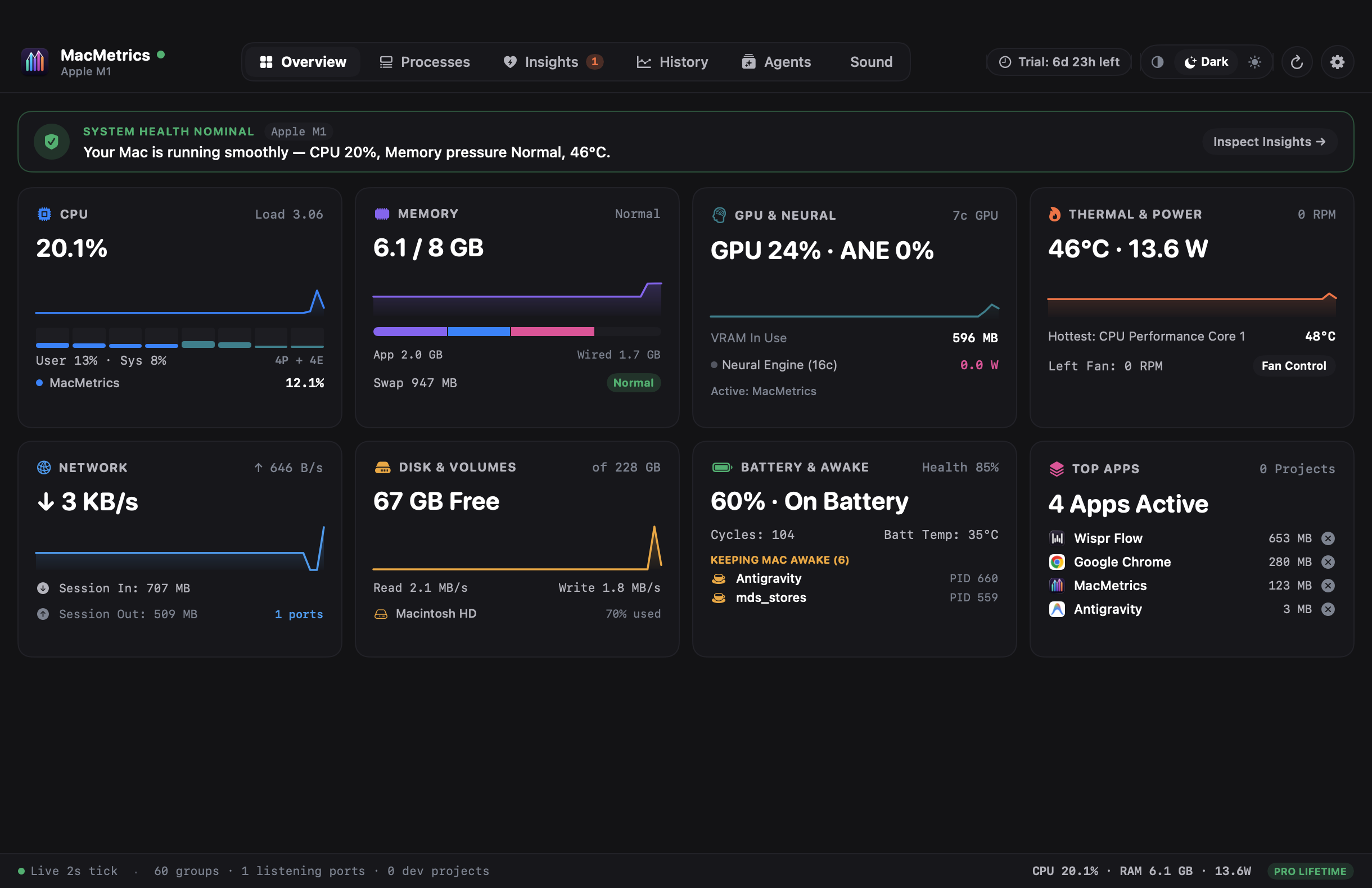
Live Performance & Efficiency core load, Unified Memory pressure, SMC die temperatures, and system power draw in watts.
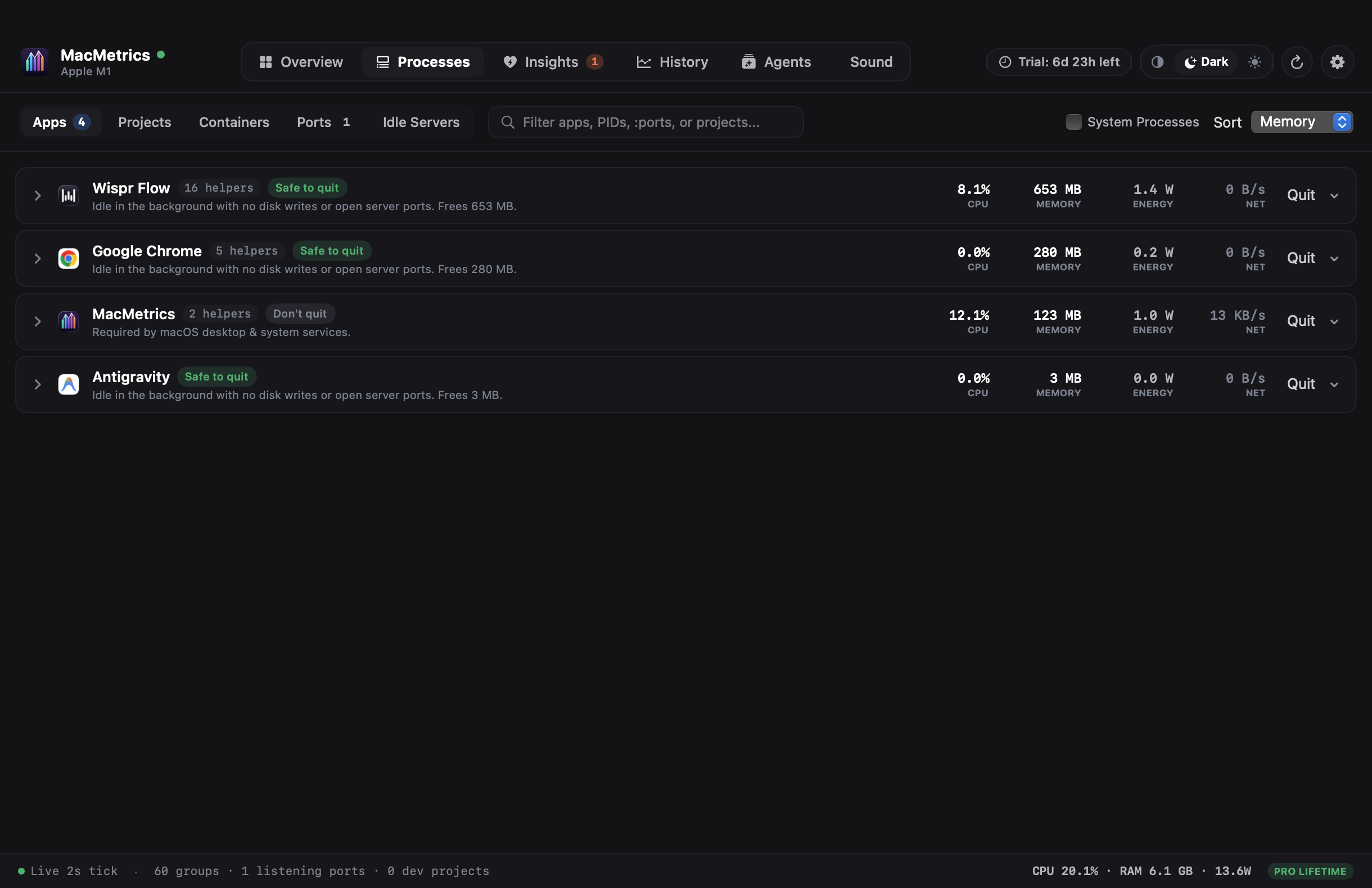
Rolls dozens of browser and IDE helper processes into one row and flags idle localhost servers holding gigabytes of RAM.
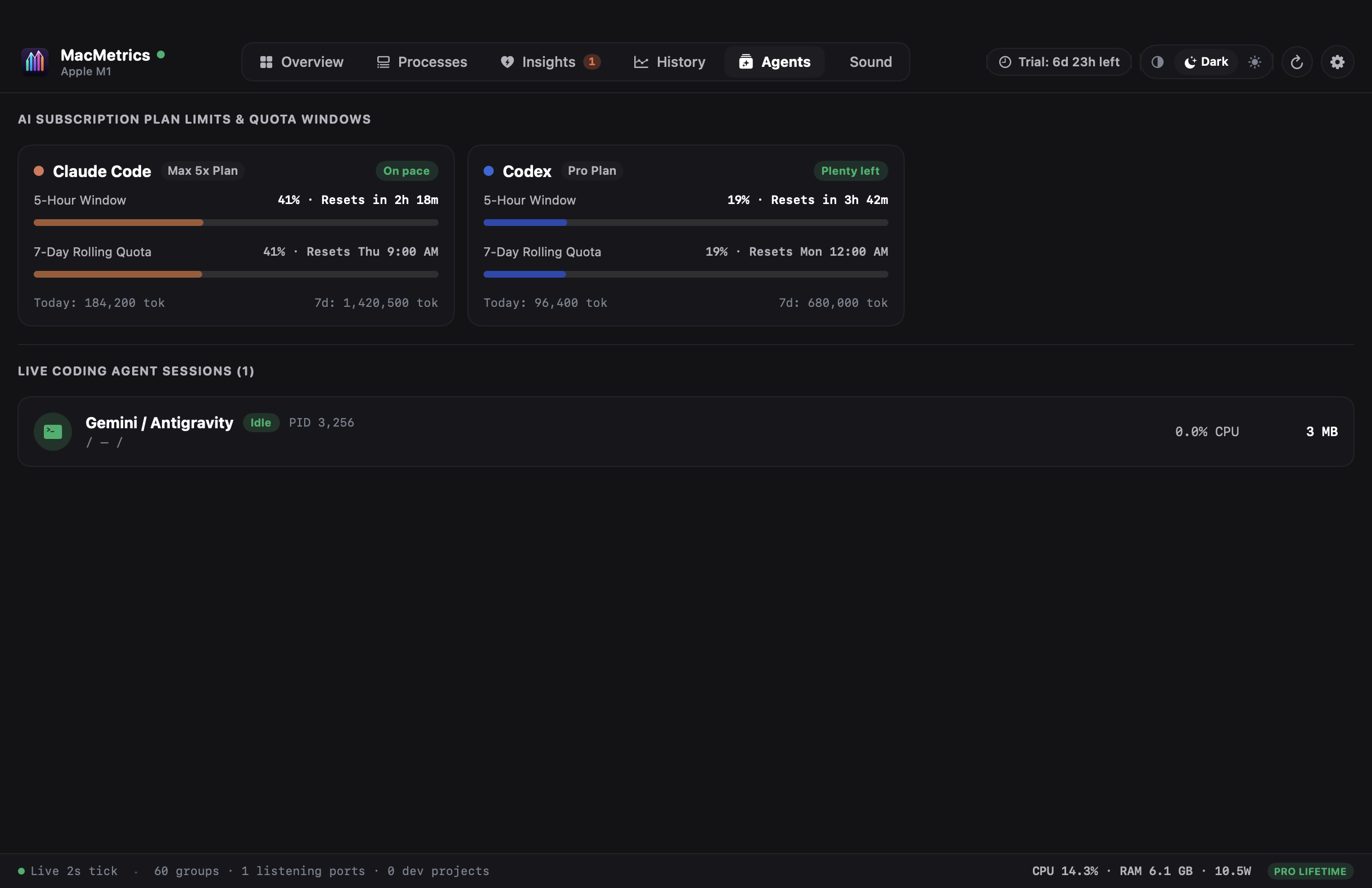
Monitor Claude Code, Cursor, and OrbStack containers alongside individual volume sliders for every running Mac app.
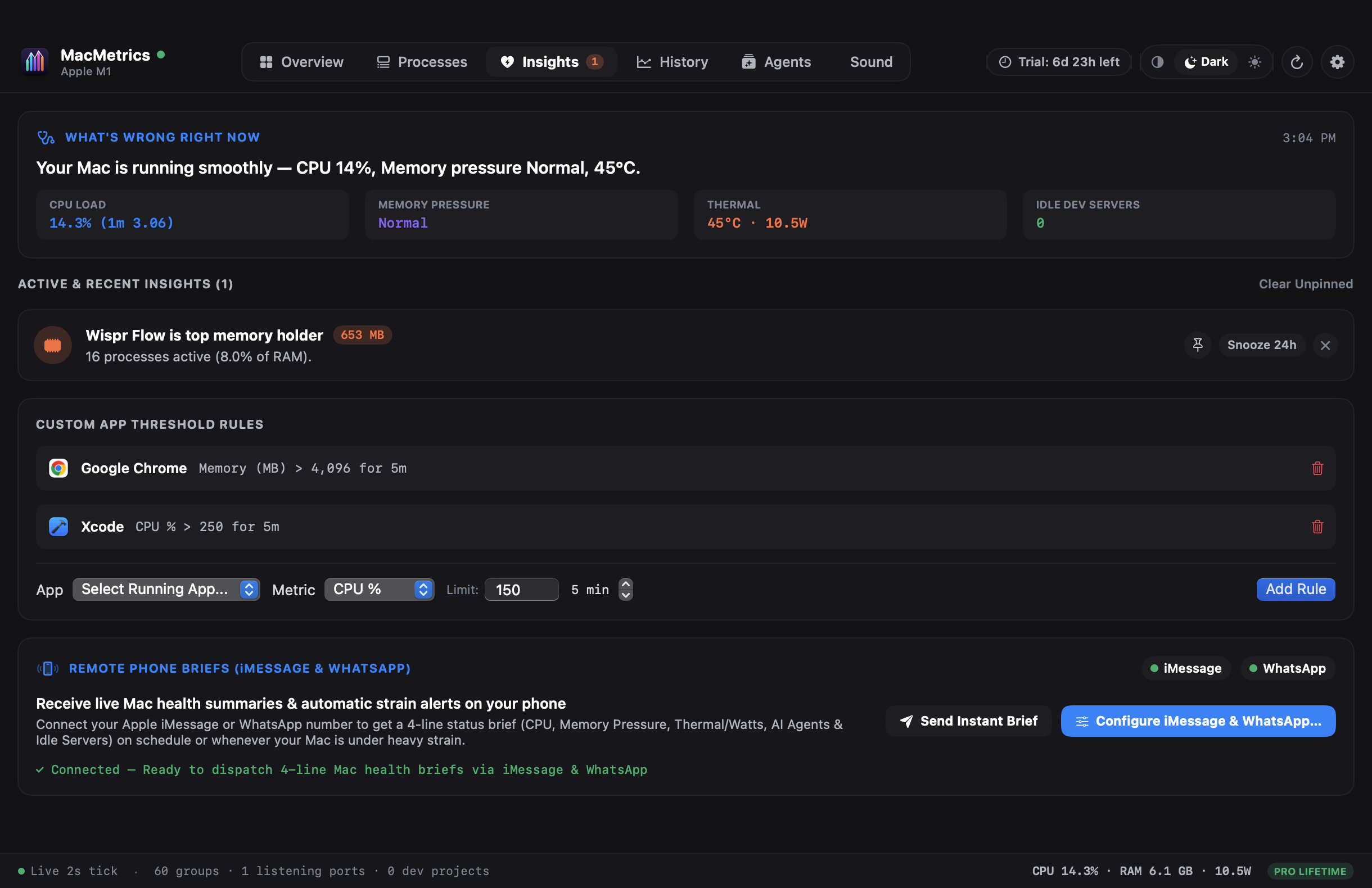
Get automatic 4-line Mac health summaries and thermal/CPU strain alerts sent straight to your iPhone or WhatsApp while away from your desk.
Built natively in Swift & SwiftUI with direct IOKit, Mach kernel, and CoreAudio telemetry.
Instead of 45 confusing Google Chrome Helper (Renderer) rows, MacMetrics rolls every child helper into one clean application card with sub-role breakdowns.
Automatically detects idle Node, Vite, Next.js, Python, and Docker listeners holding RAM on ports like :3000, :5173, and :8080 so you can free gigabytes in one click.
macmetrics) & MCP Server with 3-Tier Quit SafetyQuery live system telemetry from your terminal or connect AI agents via Model Context Protocol. Built-in QuitCheck guardrails (do_not, ask_first, safe) prevent agents from ever killing system daemons or their own parent terminal.
Using MacMetrics on your Mac? Share your experience or feature requests with the community below.
Powered by Stripe (Apple Pay, Google Pay & All Cards). Try every feature free for 7 days, then unlock your Mac forever with a single one-time payment.
Hardware-bound 7-day trial starts automatically the moment you launch MacMetrics.
macmetrics) & MCP Server includedInstant cryptographic license key (MACM-…) issued via Stripe and bound to your Mac.
Look up your $10.99 lifetime license key by email or key code, or deactivate an old Mac to move your license.
MacMetrics Lifetime Pro
Powered by Stripe Checkout · Instant Lifetime License Key Delivery
🔒 256-bit SSL encrypted · Secured by Stripe